Budget Boss: 5-Tab Budget Spreadsheet Setup That Sticks
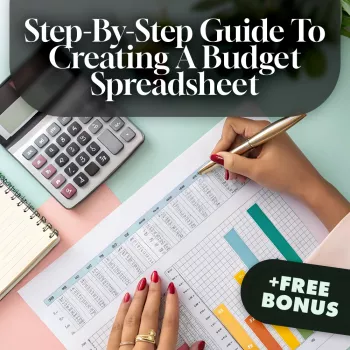
Budget Boss: A Clear, Repeatable Budget Spreadsheet Setup That Actually Sticks
A budget spreadsheet should feel like a dashboard, not a homework assignment. Our team built Budget Boss as a digital budgeting guide to help you turn messy money notes into a simple system: set up the sheet once, update it in minutes, and always know what’s safe to spend, what’s due next, and what’s moving the needle on your goals.
What “a budget spreadsheet that works” looks like
If your spreadsheet only works when life is calm, it won’t last. A budget that sticks is designed for normal weeks: surprise expenses, uneven paydays, and the occasional overspend.
- Fast to update: daily spending takes seconds; weekly check-ins take 10–15 minutes.
- Built for real life: handles irregular income, annual bills, and category overspending without breaking the whole plan.
- Clear next actions: your sheet tells you what to do this week (pay, transfer, pause spending, or adjust).
- One source of truth: income, bills, subscriptions, and goals live in one place.
- Flexible structure: works in Google Sheets or Excel and can expand later (debt payoff, sinking funds, or business expenses).
Before the spreadsheet: the quick setup checklist
Before you touch a formula, you need the inputs. This is the part that makes your budget feel “automatic” later.
- Pick the time frame: monthly is simplest; weekly works well for variable income or tight cash flow.
- List income sources: paychecks, side gigs, benefits, reimbursements (separate “expected” vs “confirmed”).
- Capture fixed commitments: rent/mortgage, utilities, insurance, minimum debt payments, childcare, subscriptions.
- Identify “true expenses”: quarterly/annual bills, car repairs, medical, gifts, travel—anything that sneaks up.
- Choose 1–3 goals only: emergency fund, debt payoff, down payment, or a “buffer” category for stability.
If you want a trusted baseline for budget categories and spending planning, the Consumer Financial Protection Bureau (CFPB) budgeting resources and the FDIC Money Smart program are solid references to keep your plan grounded.
Step-by-step: how to set up a budget spreadsheet (the 5-tab structure)
To keep your system clean, we recommend a five-tab layout. It’s “just enough structure” to be reliable without becoming a full-time job.
- Tab 1 — Dashboard: top totals only (Income, Bills, Variable Spending, Goals, Left to Spend).
- Tab 2 — Income: rows for each payday (Date, Source, Expected, Actual, Notes).
- Tab 3 — Bills & Due Dates: every recurring bill with due date, amount, and autopay status; add an “Annualized Monthly” column for non-monthly bills.
- Tab 4 — Categories: monthly targets for groceries, gas, dining, personal, kids, pets, household, and whatever matters in your life.
- Tab 5 — Transactions/Tracking: a simple log (Date, Merchant, Category, Amount, Payment Method) that you can filter or summarize later.
Simple budget spreadsheet layout (copy this structure)
| Sheet/Tab | Purpose | Must-have columns | Update cadence |
|---|---|---|---|
| Dashboard | At-a-glance totals + what’s safe to spend | Totals pulled from other tabs | Weekly |
| Income | Expected vs actual income by date | Date, Source, Expected, Actual, Difference | Each payday |
| Bills & Due Dates | Stop late fees and surprises | Bill, Due date, Amount, Autopay (Y/N), Paid (Y/N) | Monthly |
| Categories | Spending plan for flexible areas | Category, Target, Actual, Remaining | Weekly |
| Transactions | The raw data that powers the budget | Date, Description, Category, Amount | Daily/weekly |
Category setup that won’t collapse mid-month
The fastest way to quit budgeting is overcomplicating categories. Your categories should reduce decision fatigue, not create it.
- Start with fewer categories than you think: too many buckets makes tracking harder.
- Separate needs from wants: keep essentials visible so they don’t compete with lifestyle spending.
- Add sinking funds as categories: Car Repair Fund, Annual Subscriptions, Holidays—anything predictable but irregular.
- Use a buffer category: even a small “Life Happens” line prevents a domino effect.
- Set targets from last month’s reality: then tighten gradually instead of snapping the plan in week two.
The weekly money routine (15 minutes) that keeps the spreadsheet accurate
Consistency beats complexity. Pick one day and time you can repeat (Sunday evening, Monday lunch, Friday morning)—then keep it boring.
Digital budgeting guide tips: make the spreadsheet do the work
Where Budget Boss fits in (and how to use it fast)
If you’re tired of reinventing your spreadsheet layout every month, Budget Boss: Your Step-by-Step Guide to Creating a Budget Spreadsheet That Works | How to Set Up a Budget Spreadsheet | Digital Budgeting Guide is built to get you from blank sheet to working budget without guessing what to track or how to structure it.
More picks from our store (in stock)
- Guess Women’s Printed T-Shirt with Round Neck
- Spray Shelter for Furniture & Craft Projects
- Versatile Mid Century Nordic Dining Chair for Home and Events
FAQ
Is a budget spreadsheet better than a budgeting app?
A spreadsheet gives you full visibility and flexibility to design categories, due dates, and goal tracking exactly how you want. Apps can be easier for auto-import, but the best tool is the one you’ll update consistently—many people stick with a simple spreadsheet because it’s clear and fully customizable.
How do I budget with irregular income using a spreadsheet?
Track income as “expected” versus “actual” by payday, and build your plan from a conservative baseline so essentials are always covered first. Add a buffer category and sinking funds to smooth out uneven months and prevent one high-expense week from derailing everything.
What categories should a beginner start with?
Start small: housing, utilities, groceries, transportation, insurance, minimum debt payments, a savings/goal line, and one lifestyle category. Add sinking funds for annual or irregular costs once you’ve kept the basics updated for a couple of weeks.
















Leave a comment